
Install BeeSwarm
BeeSwarm can be installed directly on your phone or desktop from the browser, with no need to go through any app store.On mobile (iOS) Open wallet.beeswarm.app in Safari, tap the share icon and select “Add to Home Screen”. The app will be installed like any other application.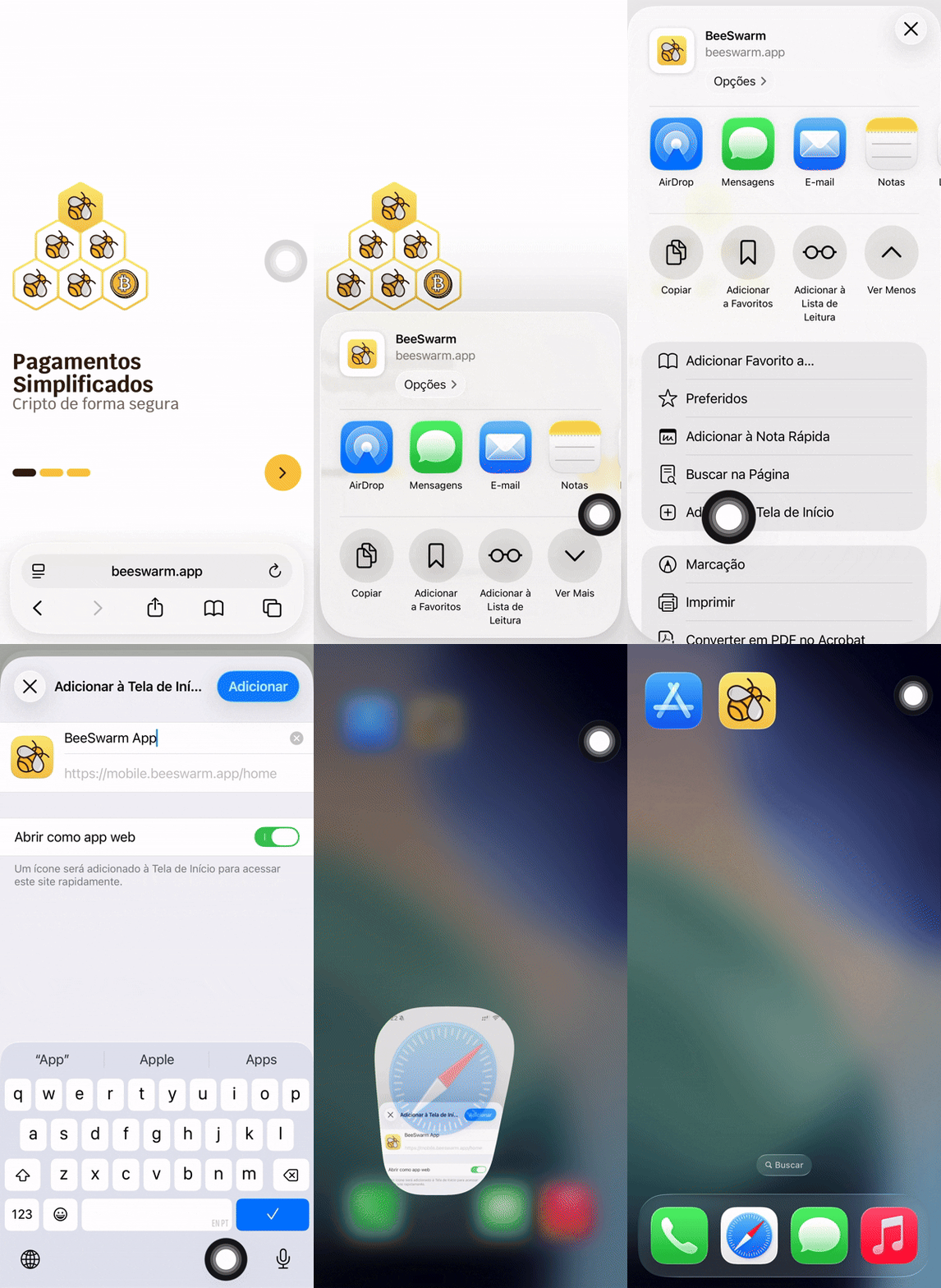 On mobile (Android) Open wallet.beeswarm.app in Chrome. The browser will automatically display the “Install app” option. Tap to confirm.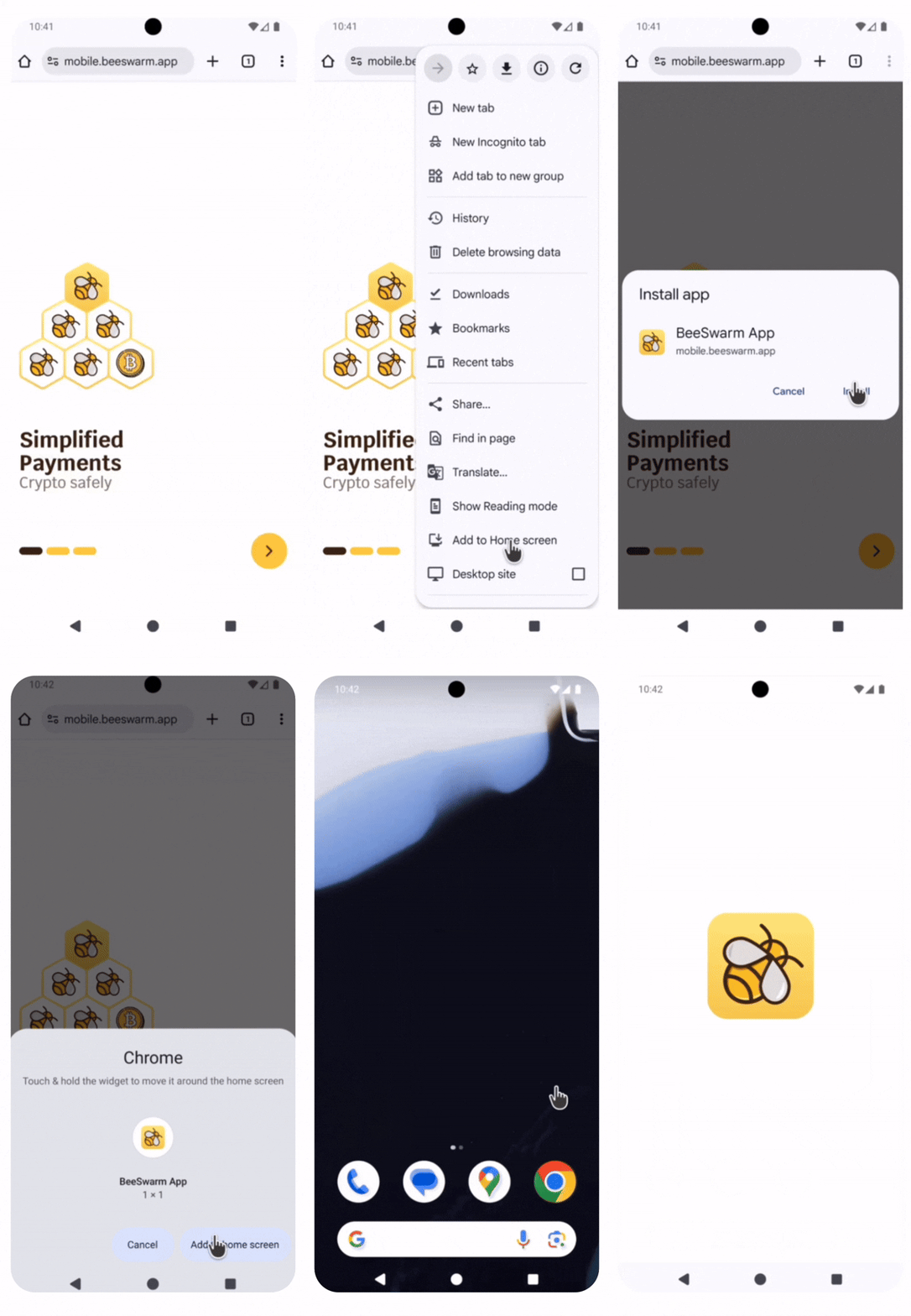
On mobile (Android) Open wallet.beeswarm.app in Chrome. The browser will automatically display the “Install app” option. Tap to confirm.Create or import your wallet
When you open the app for the first time, you can create a new wallet or import an existing one using your recovery phrase (seed phrase).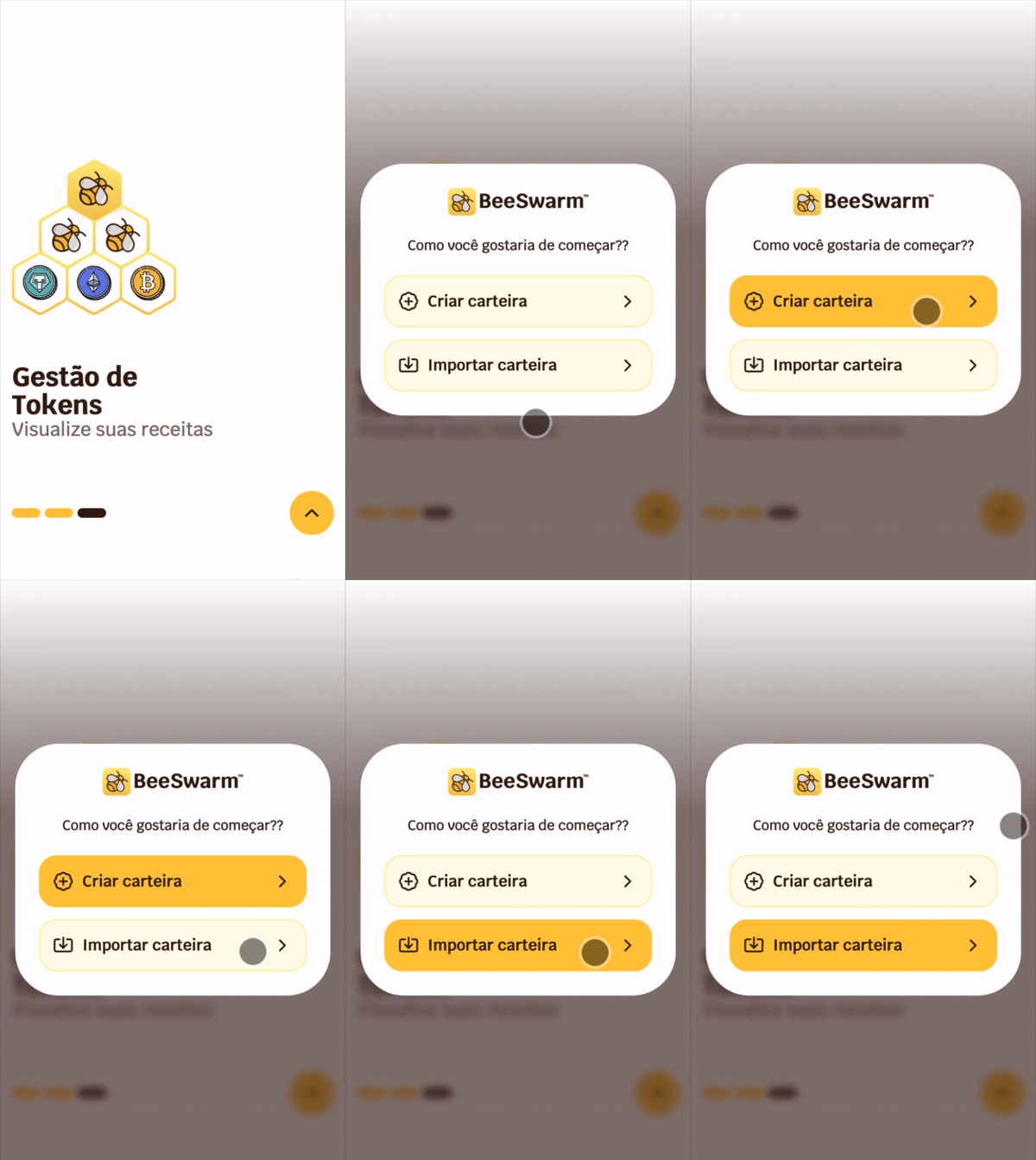
Store your seed phrase securely
If you are creating a new wallet, write down your seed phrase carefully and store it in a safe, offline location. It is the only way to recover your funds if you lose access to your device.
Enable biometric authentication
After creating or importing your wallet, you can enable biometric authentication — Face ID or Touch ID — to access the app quickly and securely.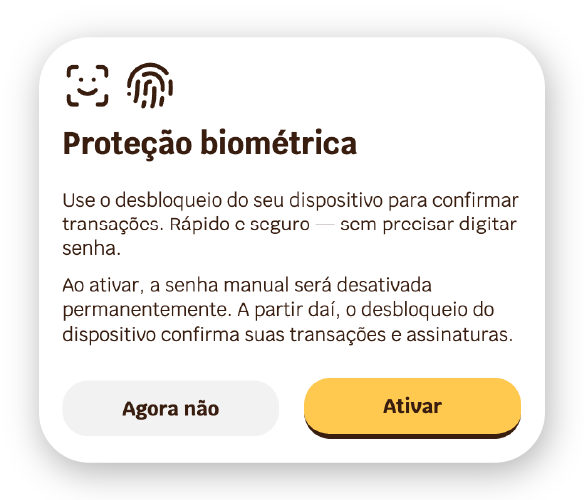
Biometric authentication is only available on supported devices. If your device does not support it, the popup above will not appear and access will continue to work normally with the alphanumeric password.
The flow may vary depending on the password manager configured on your device. See the full configuration guide.